Chord Progression Helper
v0.5.1Builds chord progressions from any key and writes the result as a MIDI clip, with two distinct harmony modes for different musical styles.
 Federico P.
README · rendered from GitHubView source
Chord Progression Helper
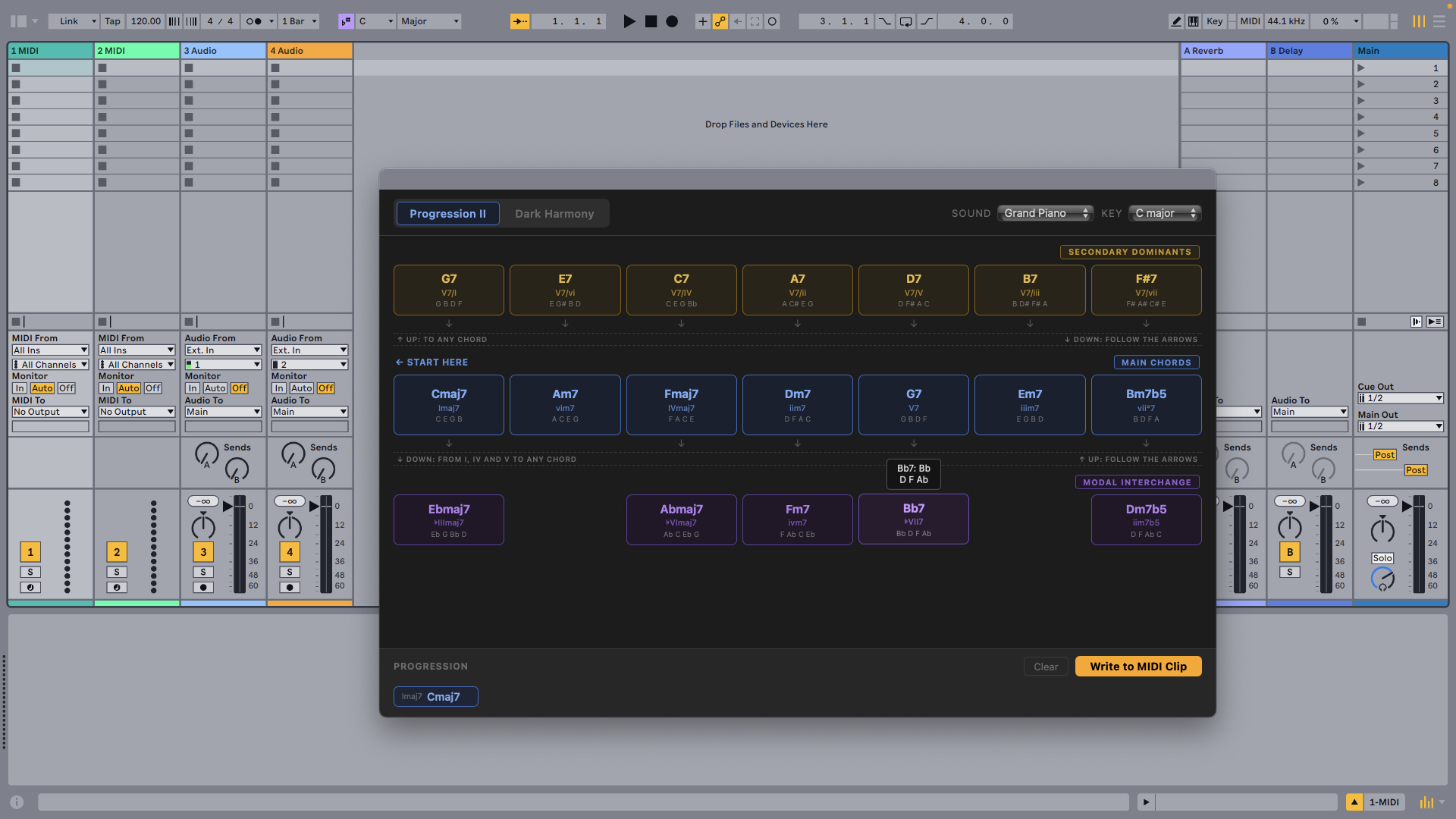
Builds chord progressions from any key and writes the result as a MIDI clip, with two distinct harmony modes for different musical styles.
Features
- Progression II — Functional jazz grid ordered for common progressions (I–vi–IV–ii–V–iii–vii), showing secondary dominants, diatonic chords, and borrowed chords per column
- Dark Harmony — Chromatic grid built around the natural minor scale with augmented, diminished, and Neapolitan colors
- Queue and write — Click chords to build a progression queue, then write the result as a MIDI clip
- Smart placement — Clip is placed in the first empty slot on the right-clicked track
How to use
- Right-click any MIDI Track and choose Create Chord Progression….
- Select a key and harmony mode.
- Click chords in the grid to add them to the progression queue.
- Click Write to MIDI Clip to create a new MIDI clip.
Each chord is written as four simultaneous notes (close voicing, whole-note duration, velocity 80) with one bar per chord. The clip is named with the chord symbols joined by " – " (e.g. Cm7 – F7 – Bbmaj7).
Rate this extension
One rating per account; you can change it any time.
No ratings yet — be the first
Comments
No comments yet.