MLR — Grid Slicer
v0.0.1MLR — monome/norns-style loop slicing across the Session grid
 Daniel Thompson
MLR — Grid Slicer
A monome/norns MLR-style loop chopper for Ableton Live, built on the Extension SDK.
The idea
Classic MLR takes an audio loop, divides it into N equal slices, and maps those slices across a row of grid buttons so you can re-trigger them live. This extension does the same thing using Live's Session View as the grid (which you drive from Push, a Launchpad, or the computer keyboard):
| monome MLR | This extension |
|---|---|
| a row (one loop) | one Live track |
| the slice buttons | the scenes down that track — scene i = slice i |
| pressing a button | launching that clip slot |
Slice several loops and you get the full MLR grid: one track (column) per loop, slices stacked across the shared scenes.
Note: The SDK manipulates the Live Set's data model — it creates the tracks/scenes/clips. The real-time performance happens by triggering the resulting Session clips from your controller. There is no real-time grid input in the SDK itself.
Usage
-
Enable Developer Mode in Live's Preferences → Extensions.
-
npm install -
npm start -- --live "/Applications/Ableton Live Beta.app" -
In Live, right-click any warped audio clip → "MLR: Slice across grid…"
-
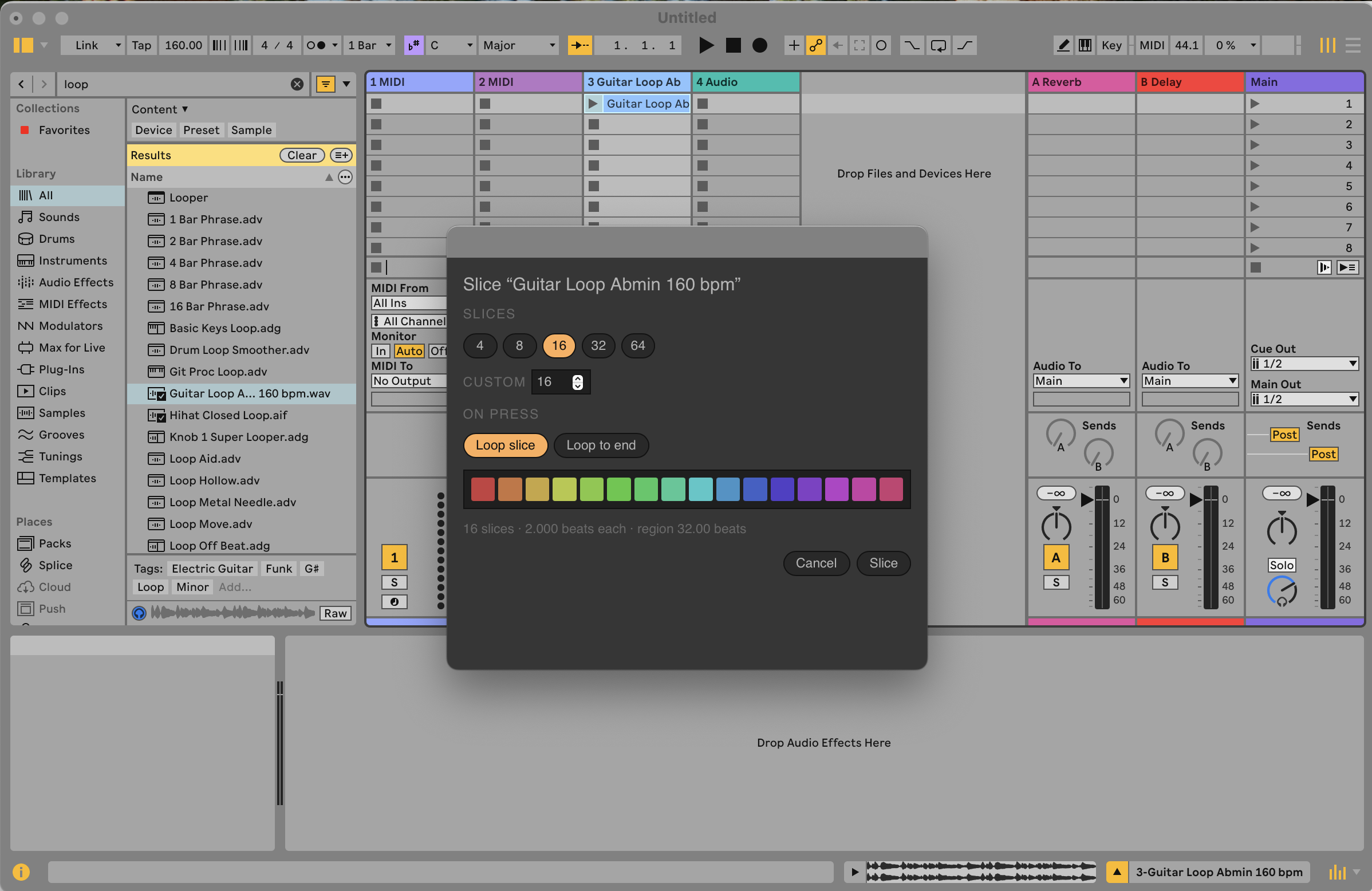
Pick a slice count (4/8/16/32/64 or custom) and a mode (both loop forever once launched):
- Loop slice — loops just that 1/N segment (hold-a-pad feel).
- Loop to end — loops from that slice to the end of the region (looping tail).
Follow Actions (set these manually): Live's Follow Actions are not exposed by the 1.0.0 SDK, so the extension can't set them for you — if you want slices to chain (e.g. advance to the next slice, or jump around), you must add the Follow Actions by hand in Live after slicing, on each clip's Launch tab. Out of the box, slices repeat using the clip loop brace instead: a looped Session clip plays indefinitely when launched — the same "keep repeating" result a Play Again follow action gives you. Follow-action chaining between slices isn't possible automatically until the SDK adds the property.
-
A new
MLR · <clip>track appears with one looping, rainbow-colored slice per scene. Trigger them from your grid.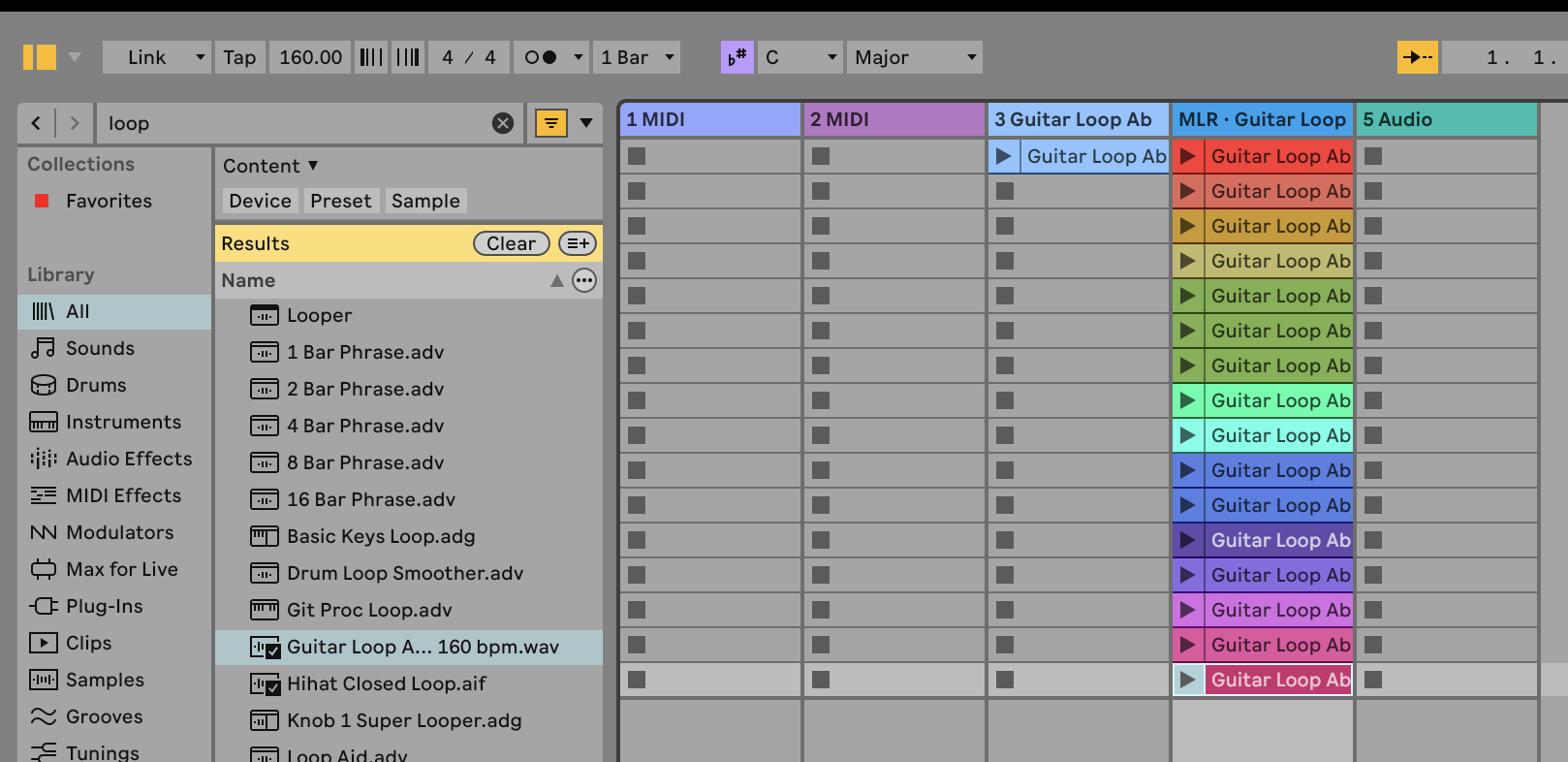
The region that gets chopped is the clip's loop brace (if looping) or its start/end markers. Slice count is capped so no slice is shorter than a 16th note, which Live requires.
Files
src/extension.ts— registers the context-menu action; slices the clip.src/mlr.html— monome-styled config dialog (slice count + mode + grid preview).build.ts— esbuild bundling, with the.htmltext loader.
Rate this extension
One rating per account; you can change it any time.
Comments
No comments yet.