Session Notes
v0.2.5A minimal Markdown notepad for Ableton Live 12 with global and per-project notes.
 Bengisu
Session Notes
Simply sketch.
Notes that live with the set. Lyrics that land on the arrangement.
A minimal Markdown notepad for Ableton Live 12, built on the Ableton Live Extensions SDK. Jot lyrics, ideas, and to-dos without leaving Ableton Live, with clean, native-feeling typography and a render-by-default Markdown view. Tag a lyric line with a bar or timecode and drop it straight onto the arrangement.
Requires Ableton Live 12 with the Extensions feature (SDK
1.0.0-beta.0).
In pictures
Files to share: still, Paper · still, Night
Features
- Markdown, rendered by default. Write in Markdown; a single tap or
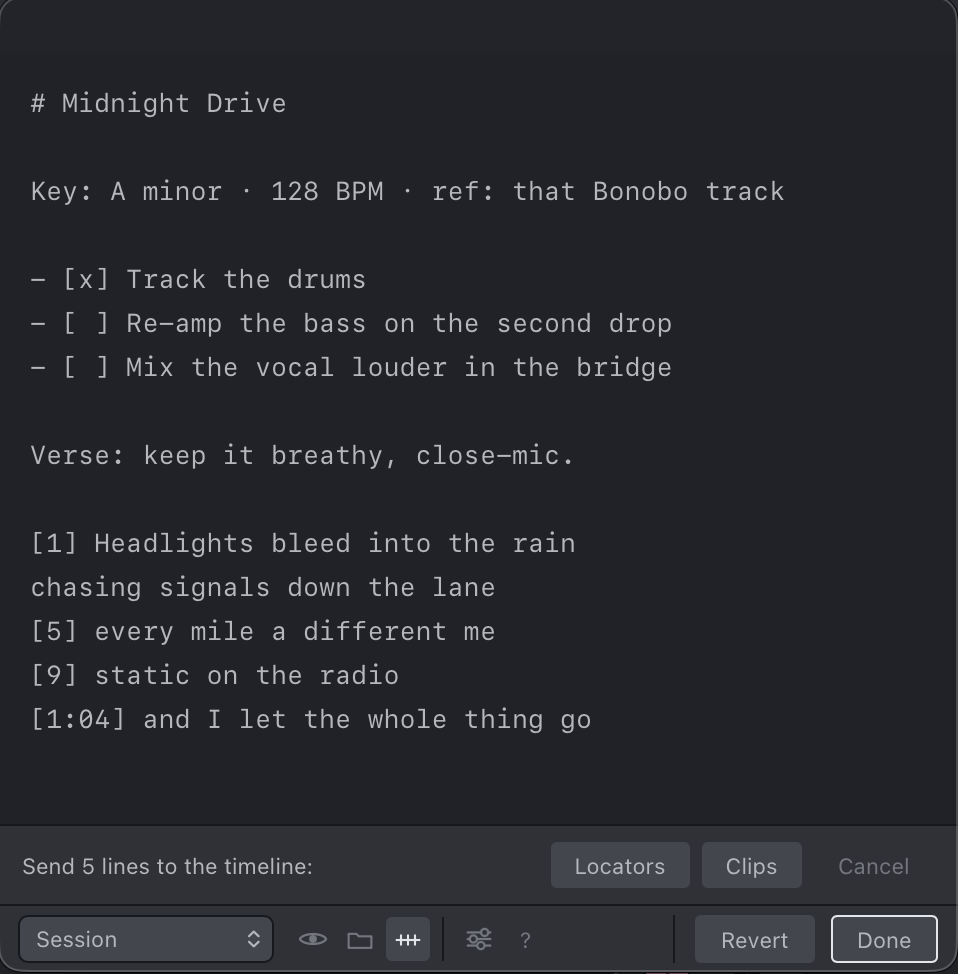
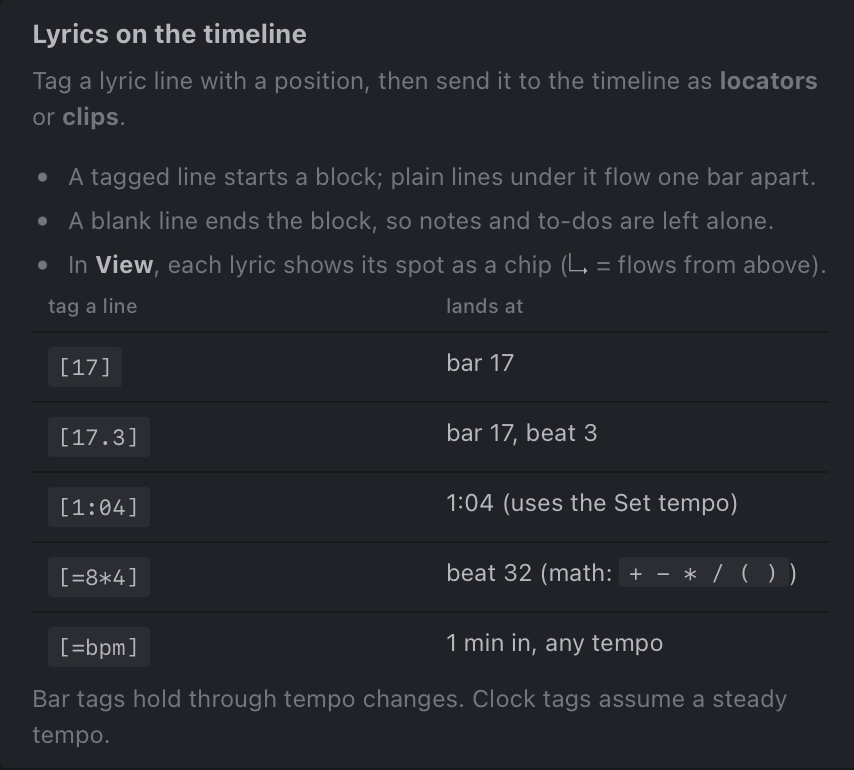
⌘Etoggles between View and Edit. Headings, bullet/numbered lists, bold/italic, blockquotes, links, and clickable GFM task lists (- [ ]/- [x]). - Lyrics on the arrangement. Tag a lyric line with its position, then send the block to the arrangement as locators or clips. Positions can be a bar (
[17]), a bar and beat ([17.3]), a timecode ([1:04]), or a bit of math ([=8*4]). Untagged lines under a tag flow one bar apart, and a blank line ends the block so your prose and to-dos are left alone. - Two kinds of notes:
- Set notes are saved into a
Session Notes/folder inside the set's project folder, so they travel with the set when you move, share, or back it up. Keep as many as you like per set. - Global notes live with the extension, for anything not tied to a specific set.
- Set notes are saved into a
- Manage notes in place. Create, rename, and delete notes from the dropdown; copy a note's path or reveal it in your file browser.
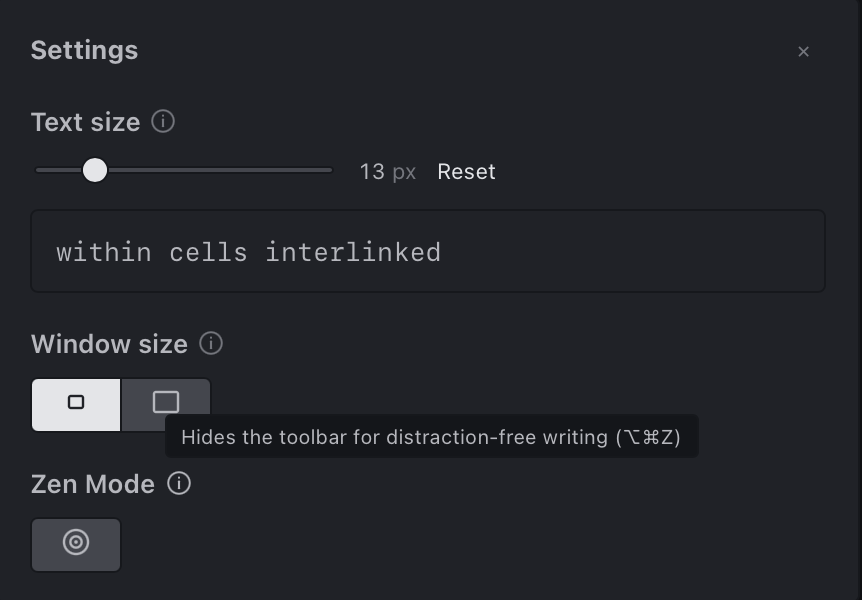
- Settings panel. Tune the note text size, pick a compact or default window, and flip on Zen Mode for distraction-free writing.
- Save-As aware. Start jotting in an unsaved set, then save it: the pad offers to carry those notes into the set's new project folder.
- Autosave on close. Close the pad (Done,
⌘S, orEsc) and it saves; Revert discards edits made since you opened it. - Remembers your place. Reopens whatever note you had open last.
- Show file location and a built-in Markdown & lyric-timing help (the
?button).
See it in action
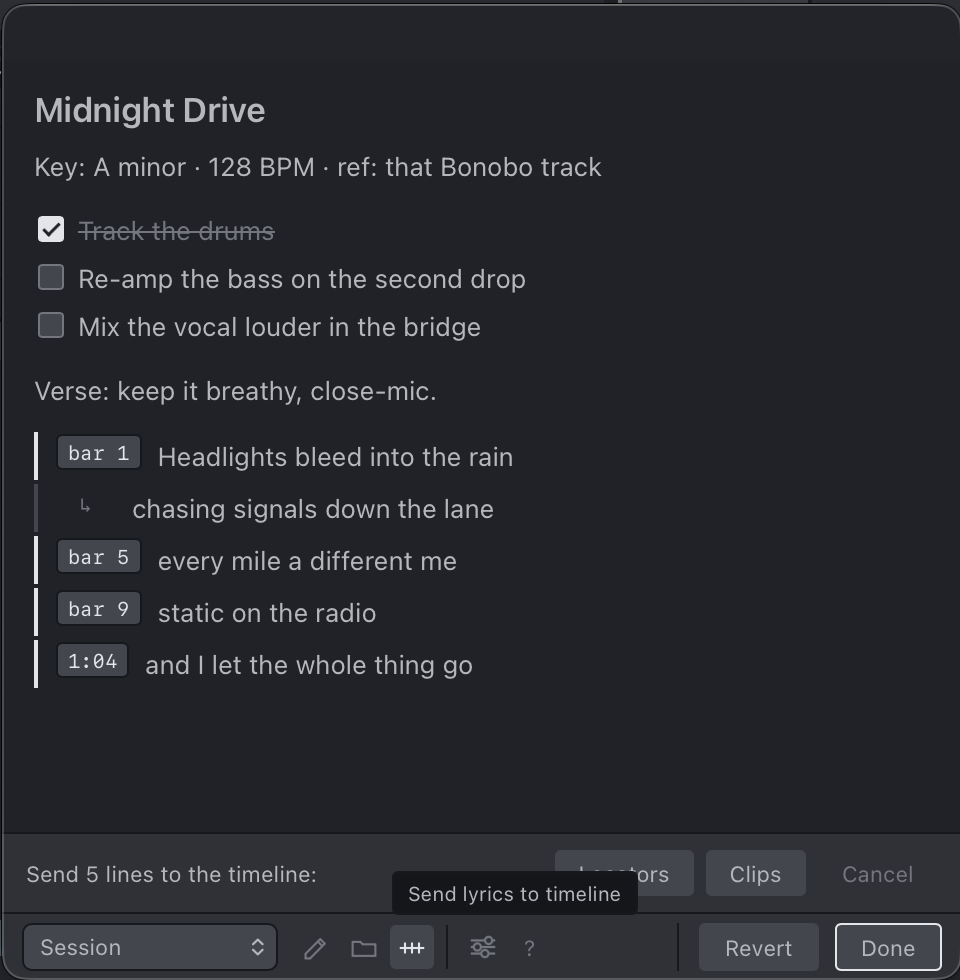
Write in Markdown, hit View to render it, then tag any lyric line with its position and send the block to the arrangement:
| In the note (View) | Ready to send |
|---|---|
 |  |
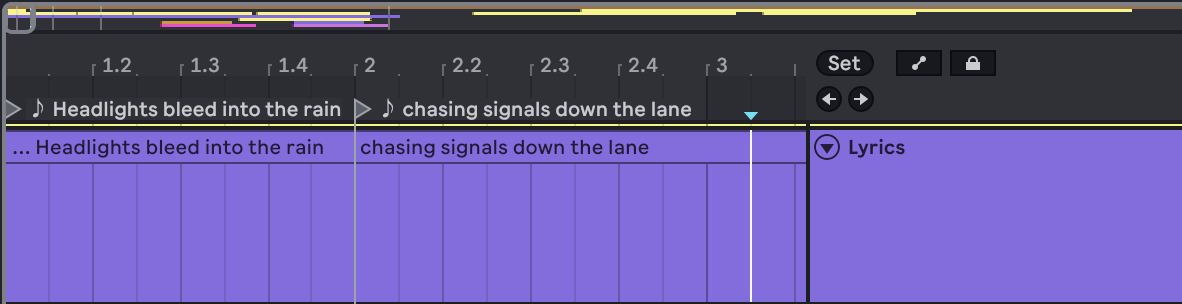
They land on the arrangement as named locators (on the ruler) and clips (on a dedicated Lyrics track), lined up to the bars and timecodes you tagged:
Settings and the built-in help are a button away:
| Settings | Markdown & lyric-timing help |
|---|---|
 |  |
Try it yourself: paste this into a note, switch to View, then press the send-to-arrangement button.
# Midnight Drive

Key: A minor · 128 BPM · ref: that Bonobo track

- [x] Track the drums
- [ ] Re-amp the bass on the second drop
- [ ] Mix the vocal louder in the bridge

Verse: keep it breathy, close-mic.

[1] low sun, high tide
swallow whole the off-key hums
[1:04] then slowly fade from sight
The # heading, the prose line, and the to-dos are left out; only the tagged block is sent to the arrangement. The untagged swallow whole the off-key hums flows one bar after [1].
Install
- Download the latest
Session-Notes-<version>.ablxfrom the Releases page. - In Ableton Live: Settings → Extensions, then drag the
.ablxfile onto the page. - Right-click a track, clip slot, or scene → Extensions → Session Notes: Open…
Usage notes
- Open it from the right-click menu on an audio/MIDI track, clip slot, or scene. (The SDK has no global menu, so it attaches to the objects you can reach almost anywhere.)
- Finding the project folder works even for MIDI-only sets: if there's no audio to trace, the extension briefly imports a tiny silent probe to learn where the project folder is, then removes it.
- An unsaved set has no project folder yet, so notes live in Ableton's temporary folder until you save. Save the set (and reopen it once) and your notes attach to it; a hint reminds you until then.
Develop
The Ableton Extensions SDK isn't included in this repo (its license doesn't allow redistribution). Get ableton-extensions-sdk-1.0.0-beta.0.tgz and ableton-extensions-cli-1.0.0-beta.0.tgz from Ableton and place them in vendor/ before installing.
Copy .env.example to .env and point EXTENSION_HOST_PATH at your local Ableton Live install (read by @ableton-extensions/cli, not tracked in git).
npm install
npm start        # build + run in Ableton Live's Extension Host (Developer Mode must be ON)
npm run build    # dev bundle
npm run package  # production bundle → Session-Notes-<version>.ablx
Node ≥ 22.11 is required (the SDK's minimum). Source lives in src/extension.ts (host logic) and src/interface.html (the webview UI).
License
MIT © Bengisu (@swwallowws)
Rate this extension
One rating per account; you can change it any time.
Comments
No comments yet.