Arrangement Helper
v0.0.8Builds a structured arrangement on a MIDI track by letting you define named sections with bar lengths and colors.
 Federico P.
README · rendered from GitHubView source
Arrangement Helper
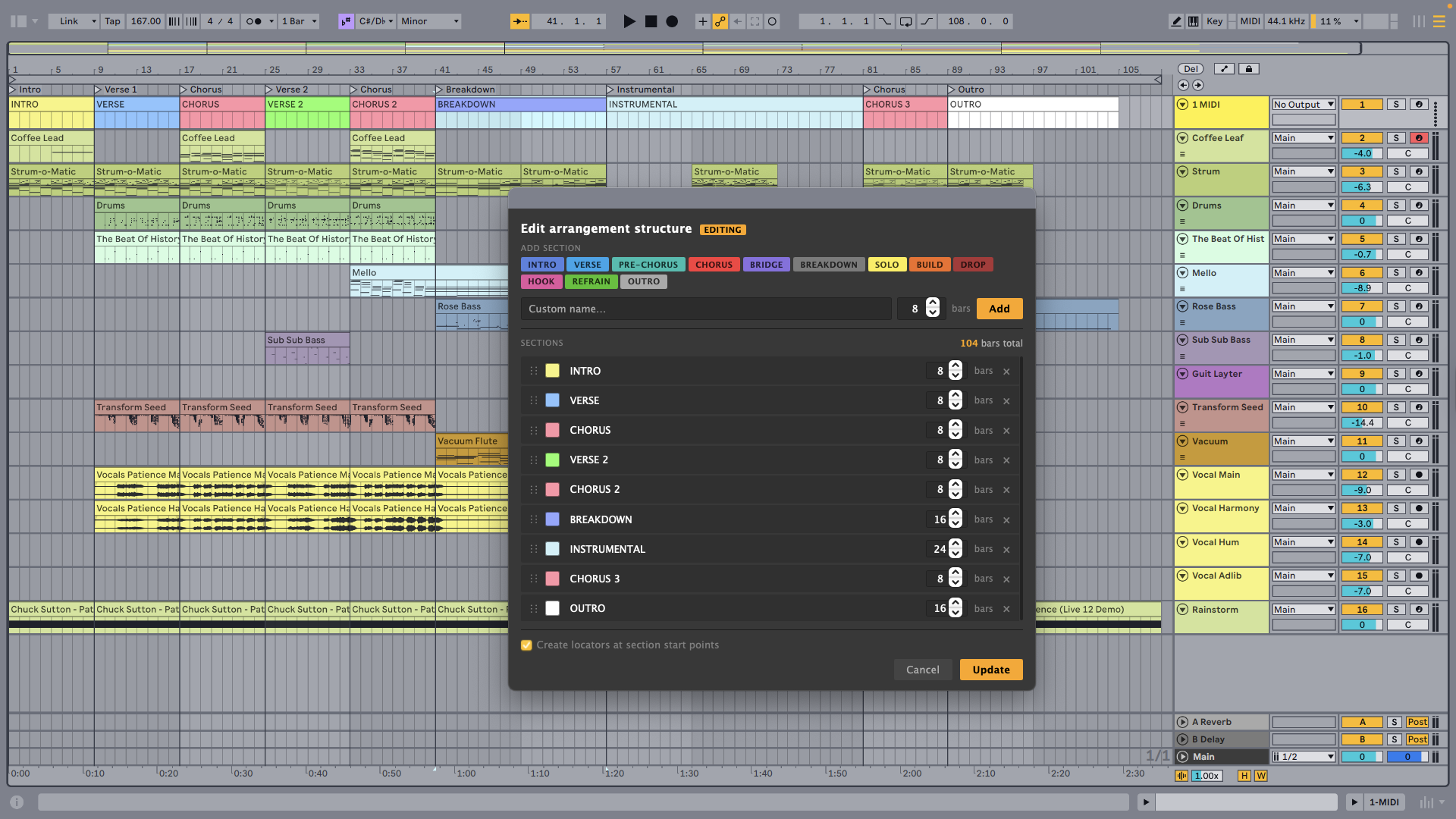
Builds a structured arrangement on a MIDI track by letting you define named sections with bar lengths and colors.
⚠️ Due to current limitations of the SDK, it is important that the clips in the Arrangement view are cut according to the length of each section. Additionally audio clips are not simply moved but are recreated from scratch, which is why they may become out of sync with the project. ⚠️
Features
- Create mode — Define sections (Intro, Verse, Chorus, etc.) with custom bar lengths and colors. Each section becomes a named, colored MIDI clip on the track.
- Edit mode — If the track already has sections from a previous run, the dialog pre-populates with them. Reorder, rename, resize, add, or remove sections — clips on all other tracks remap automatically.
- Locators — Optionally place a Live cue point at the start of each section.
How to use
- In Arrangement view, select a MIDI track (and optionally a time range).
- Right-click and choose Create Arrangement Track….
- Build your section list using the preset buttons or by editing the rows directly.
- Check Create locators at section start points to add cue points at each section boundary.
- Click Create.
| Control | Description |
|---|---|
| Preset buttons (INTRO, VERSE, …) | Append a pre-named section with a default color |
| Section name | Editable inline — click to rename |
| Bar count | Number of bars for the section (default 8) |
| Color swatch | Opens the color palette |
| Drag handle (⠿) | Reorder sections by dragging |
| × button | Remove a section |
Rate this extension
One rating per account; you can change it any time.
No ratings yet — be the first
Comments
No comments yet.