Chord Progression for Dummies
v1.0.0Ableton Live 12 extension (Extensions SDK): pick a genre + mood, get a chord progression. Minimal B/W UI, dark mode, favorites, Web Audio preview.
 Cesar
CesarChord Progression for Dummies
An Ableton Live 12 extension (Extensions SDK 1.0.0-beta.0)
that makes good chord progressions effortless: pick a genre and a mood, get a
progression — with all the rhythmic/dynamic "feel" chosen for you. Simpler and prettier
than its sibling chord-progression; the technical knobs are tucked
behind an Advanced button.
Status: implemented (v1.0.0). Genre/mood engine, favorites, per-genre preview and the Advanced panel are built. Packaged
.ablxis ready to install.
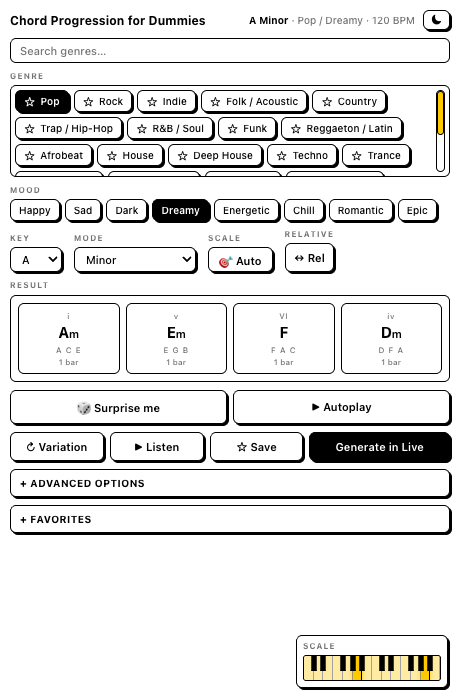
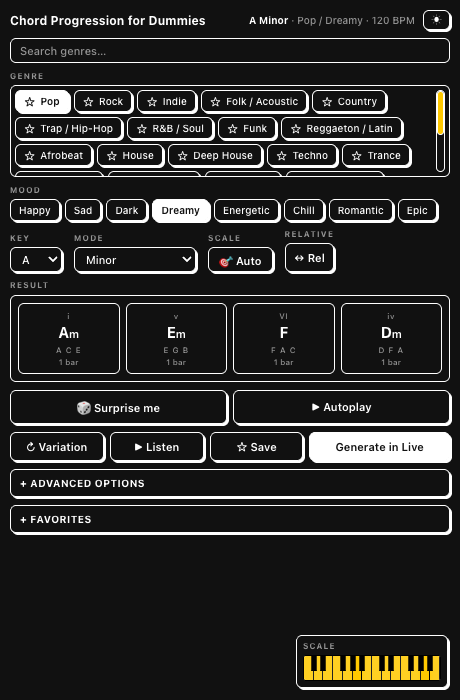
Minimal black-and-white UI with Gumroad-style press buttons. A dark mode toggle (☾ / ☀) sits in the header, and your last-used theme is remembered across sessions.
What it does
- Genre — a big, searchable list (~24) with your favorites pinned on top.
- Mood — Happy, Sad, Dark, Dreamy, Energetic, Chill, Romantic, Epic.
- Key + Mode — simple pickers; mood drives the feel, key/mode drive the harmony.
- Variation — cycle fresh progressions for the same genre + mood.
- Feel, automatic — genre + mood set swing, gate, dynamics, density, octave and more. Power users open Advanced for the full v1 control set (+ best-effort ADSR).
- Favorites — star genres (pin them) and whole progressions (recall + re-generate), saved across sessions.
- Listen — in-browser preview with a per-genre tone (piano, EP, pad, pluck, synth).
- Generate — writes a MIDI clip into the right-clicked Session slot.
See the design docs:
- docs/DECISIONS.md — every settled choice.
- docs/DESIGN.md — architecture, data model, UI.
- docs/CONTENT-MODEL.md — genres, moods, templates, feel.
Install
- Download
Chord-Progression-for-Dummies-1.0.0.ablxfrom the latest release. - Ableton Live 12 Beta → Settings → Extensions → choose the
.ablx(Developer Mode off). - Quit Live fully (Cmd+Q) and reopen.
Requires Ableton Live 12 Beta (or later) with Extensions support.
Usage
Right-click an empty Session clip slot → Chord Progression for Dummies….
Develop
Requirements: Node.js ≥ 24.14.1; Ableton Live 12 Beta with Developer Mode on. The SDK
and CLI are vendored in vendor/ (Ableton beta software — not redistributable).
npm install
cp .env.example .env     # set EXTENSION_HOST_PATH to your Live beta
npm start                # build:dev + extensions-cli run
npm run build            # production bundle
npm run package          # build a .ablx
Constraints honored
The SDK has no transport control or real-time MIDI, so the preview can't drive your own Live plugin live (use Generate, then play in Live). Instrument ADSR is only reachable when the device exposes named Attack/Decay/Sustain/Release parameters — handled best-effort in Advanced. Full rationale in docs/DECISIONS.md.
License
Extension source: MIT. The bundled Ableton SDK/CLI have their own terms (Ableton beta).
Rate this extension
One rating per account; you can change it any time.
Comments
No comments yet.