Chord Voicing Helper
v1.0.2Reads notes from a MIDI clip, detects the chord, and lets you apply a voicing strategy — with piano and staff visualizations before you commit.
 Federico P.
README · rendered from GitHubView source
Chord Voicing Helper
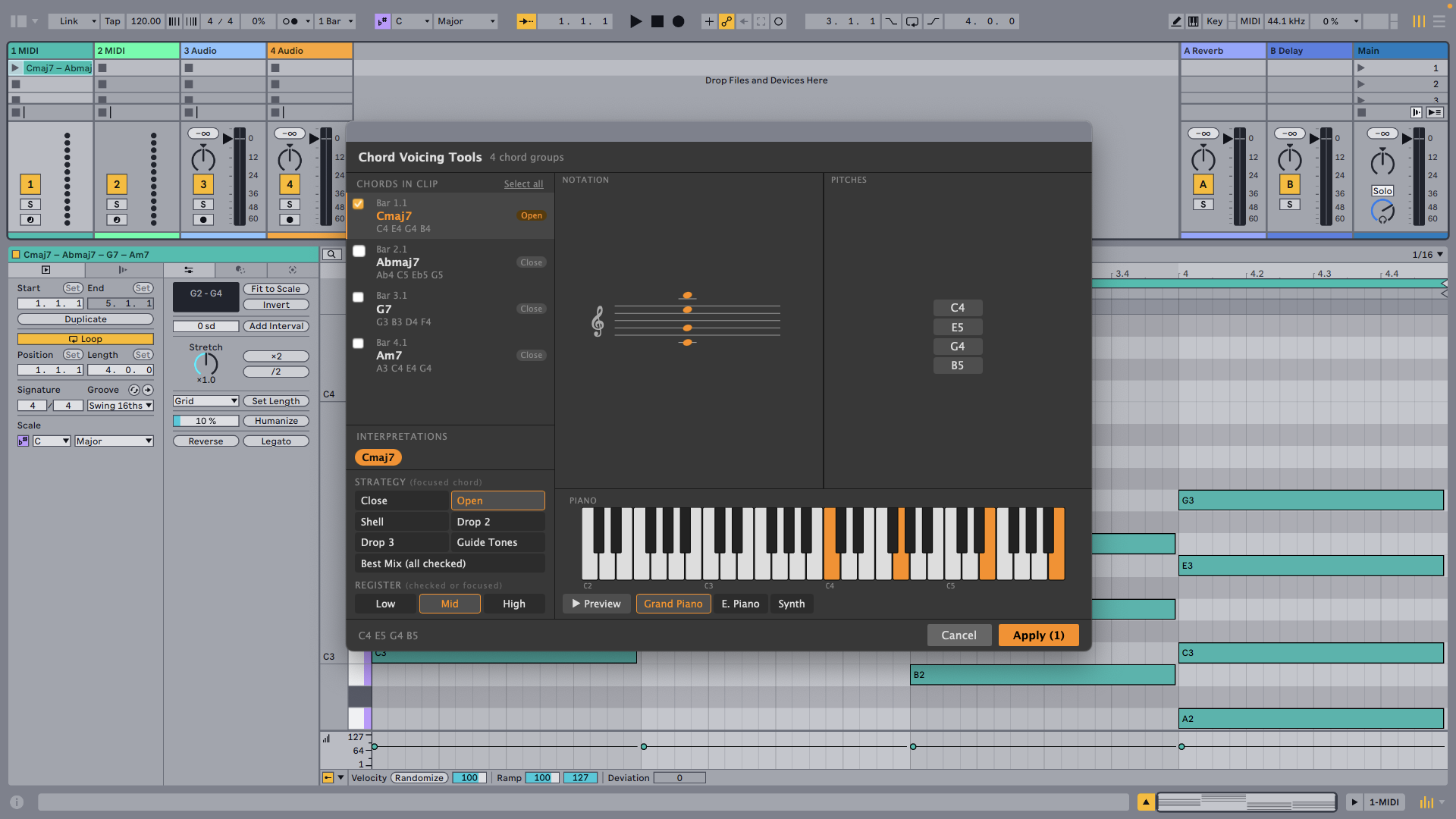
Reads notes from a MIDI clip, detects the chord, and lets you apply a voicing strategy — with piano and staff visualizations before you commit.
Features
- Chord detection — Automatically detects chord candidates from the clip's notes
- Seven voicing strategies — Close, Open, Shell, Drop 2, Drop 3, Guide Tones, Best Mix (voice-leading)
- Register control — Set the target octave: Low (C3), Mid (C4), or High (C5)
- Visualizations — Preview the result as a piano roll, staff notation, guitar diagram, or pitch list
- Non-destructive — Preview the voicing before applying; Cancel leaves the clip unchanged
How to use
- Right-click any MIDI Clip and choose Edit voicings.
- Select a chord candidate from the chips at the top.
- Choose a voicing strategy and register.
- Click Apply to write the new notes back to the clip.
| Strategy | Description |
|---|---|
| Close | All chord tones stacked within one octave |
| Open | Tones spread across two octaves |
| Shell | Root + 3rd + 7th |
| Drop 2 | Close voicing with the second-highest note dropped an octave |
| Drop 3 | Close voicing with the third-highest note dropped an octave |
| Guide Tones | 3rd and 7th only |
| Best Mix | Voice-leading mode — minimizes movement between chords |
Rate this extension
One rating per account; you can change it any time.
No ratings yet — be the first
Comments
No comments yet.