clear-silence
v1.0.0First release of Clean Silence, an Ableton Live extension that strips silent regions from audio clips directly in the Arrangement view.
 onsurbex
README · rendered from GitHubView source
Clean Silence v1.0.0
First release of Clean Silence, an Ableton Live extension that strips silent regions from audio clips directly in the Arrangement view.
Features
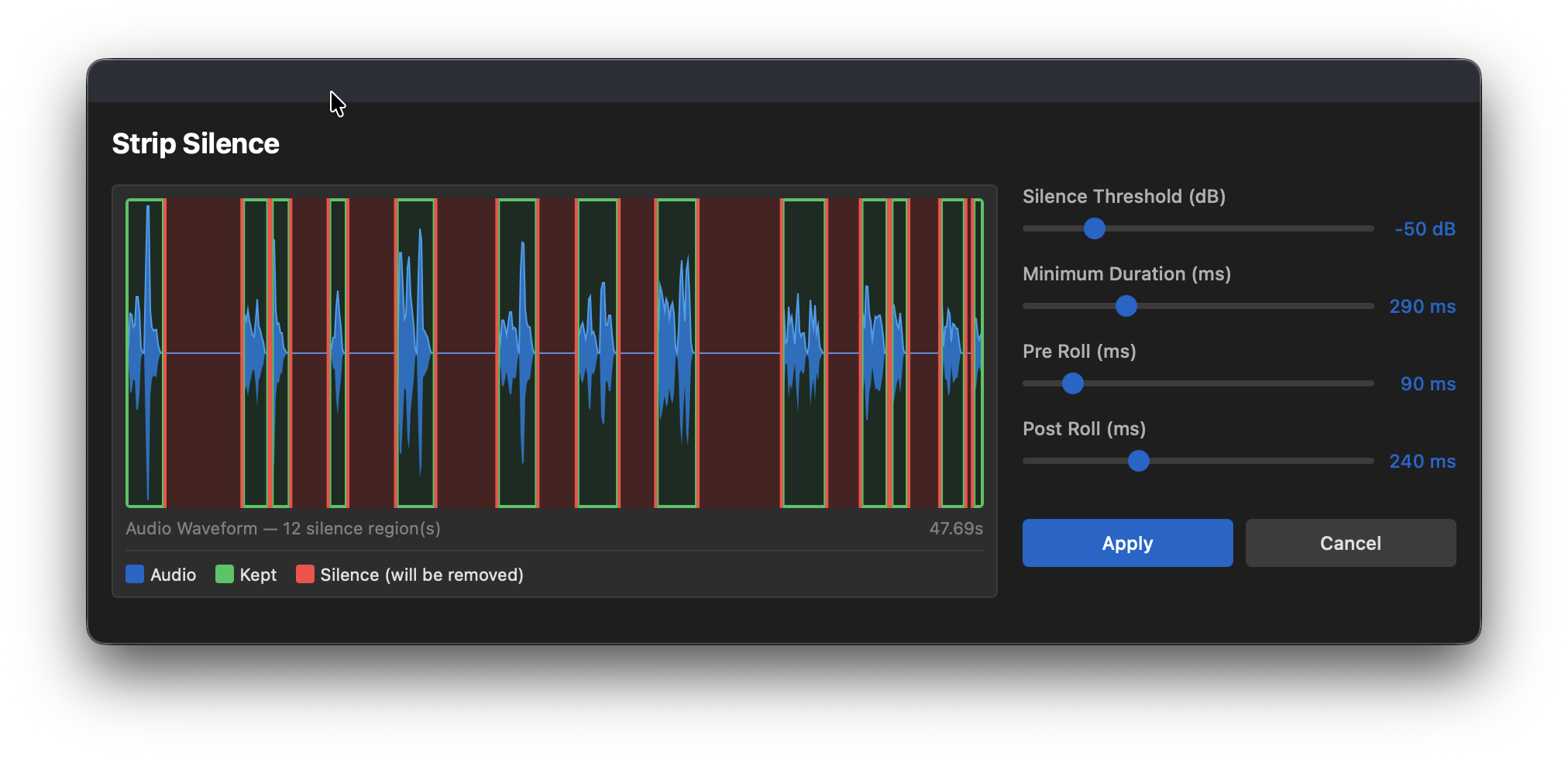
- Real-time waveform preview — visualizes the audio clip with silence regions highlighted in red and regions to keep highlighted in green, updating live as you adjust parameters
- Adjustable silence detection — fine-tune four parameters to match your audio:
- Silence Threshold — amplitude threshold in dB (-60 to -6 dB)
- Minimum Duration — ignore silences shorter than this (10 – 1000 ms)
- Start Padding — keep a margin before each silence starts (0 – 500 ms)
- End Padding — keep a margin after each silence ends (0 – 500 ms)
- Non-destructive workflow — preview changes before applying, cancel at any time
- Context menu integration — right-click any audio selection in the Arrangement and choose Strip Silence
Requirements
- Ableton Live with Extensions support enabled
- Extensions API
1.0.0-beta.0or higher
Installation
- Download
clean-silence.ablxfrom the assets below - Open Ableton Live → Settings → Extensions
- Drag and drop the
.ablxfile onto the Extensions page
Usage
- Select a time range on an audio track in the Arrangement view
- Right-click → Strip Silence
- Adjust the parameters — the waveform preview updates in real time
- Click Apply to process, or Cancel to discard
Preview
Rate this extension
One rating per account; you can change it any time.
No ratings yet — be the first
Comments
No comments yet.