clip-exporter
v1.0.0Ableton Live extension to export all the clips from a track by their name to any folder on the system
 Arun Kumar
Unverified listing. This repo is new or has little community activity and the developer has not claimed it. Extensions run code inside Live — read the source, check the author, and only install things you trust.
clip-exporter
An Ableton Live extension that exports every audio clip on a track to a folder of your choice, using each clip's name as the file name.
Built with @ableton-extensions/sdk.
Requirements
- Ableton Live 12 Suite Beta (12.4.5 or later) with Extensions support
- Node.js 24.14.1 or later
- Developer Mode enabled in Live:
Preferences → Extensions → Developer Mode
Setup
-
Install dependencies:
npm install -
Set the path to Live's Extension Host in
.env:EXTENSION_HOST_PATH=/Applications/Ableton Live 12 Beta.app/Contents/Helpers/ExtensionHost/ExtensionHostNodeModule.nodeAdjust the path if your Live install lives somewhere else.
-
Open Ableton Live, then start the extension host:
npm startLeave this terminal running. You should see
Extension activatedin the logs once Live connects.
Usage
-
Open a Live set with an audio track that has session clips.
-
Right-click the audio track header.
-
Choose Export Clips by Name from the context menu.
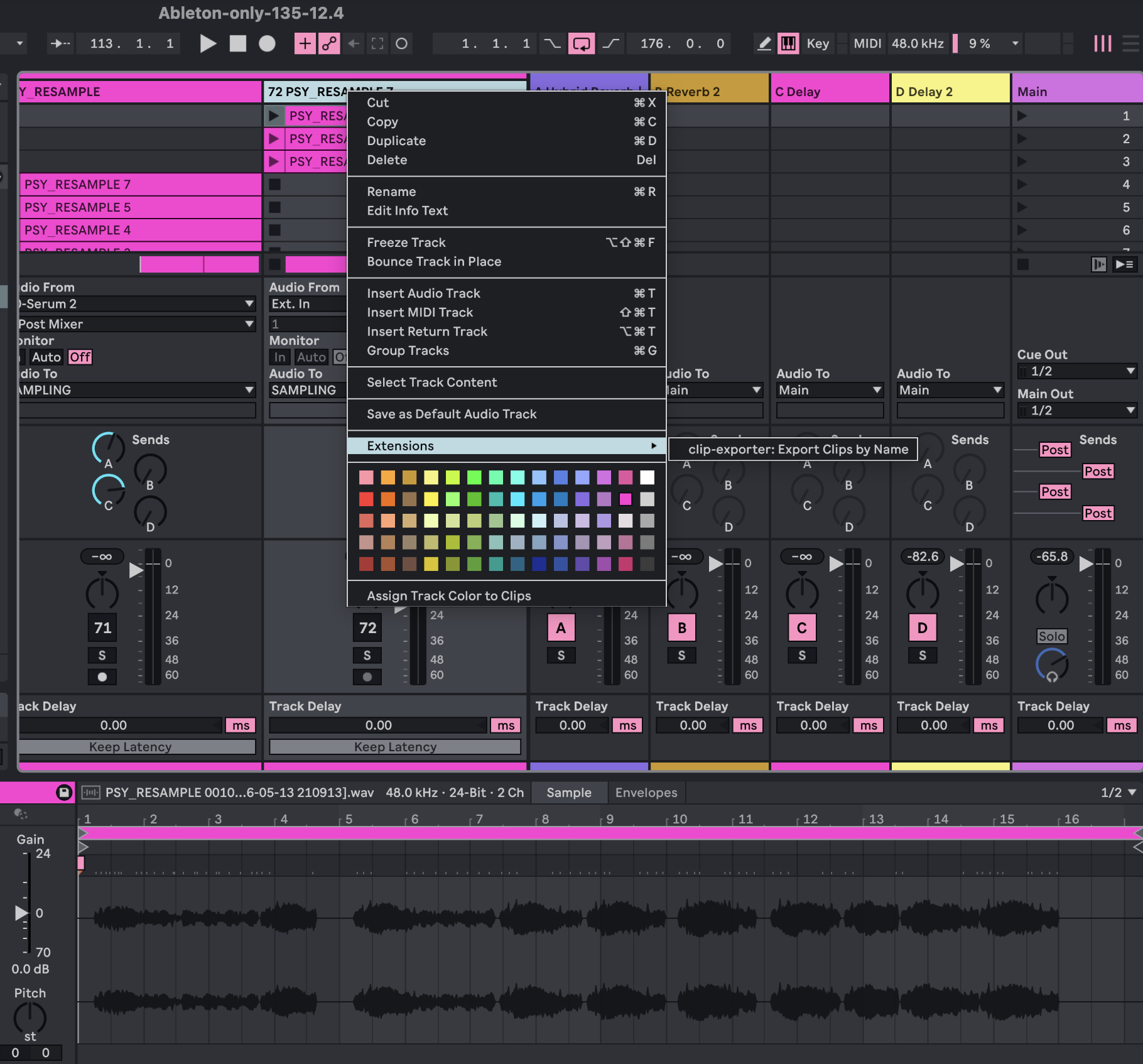
-
Pick a destination folder in the export dialog, then click Export.
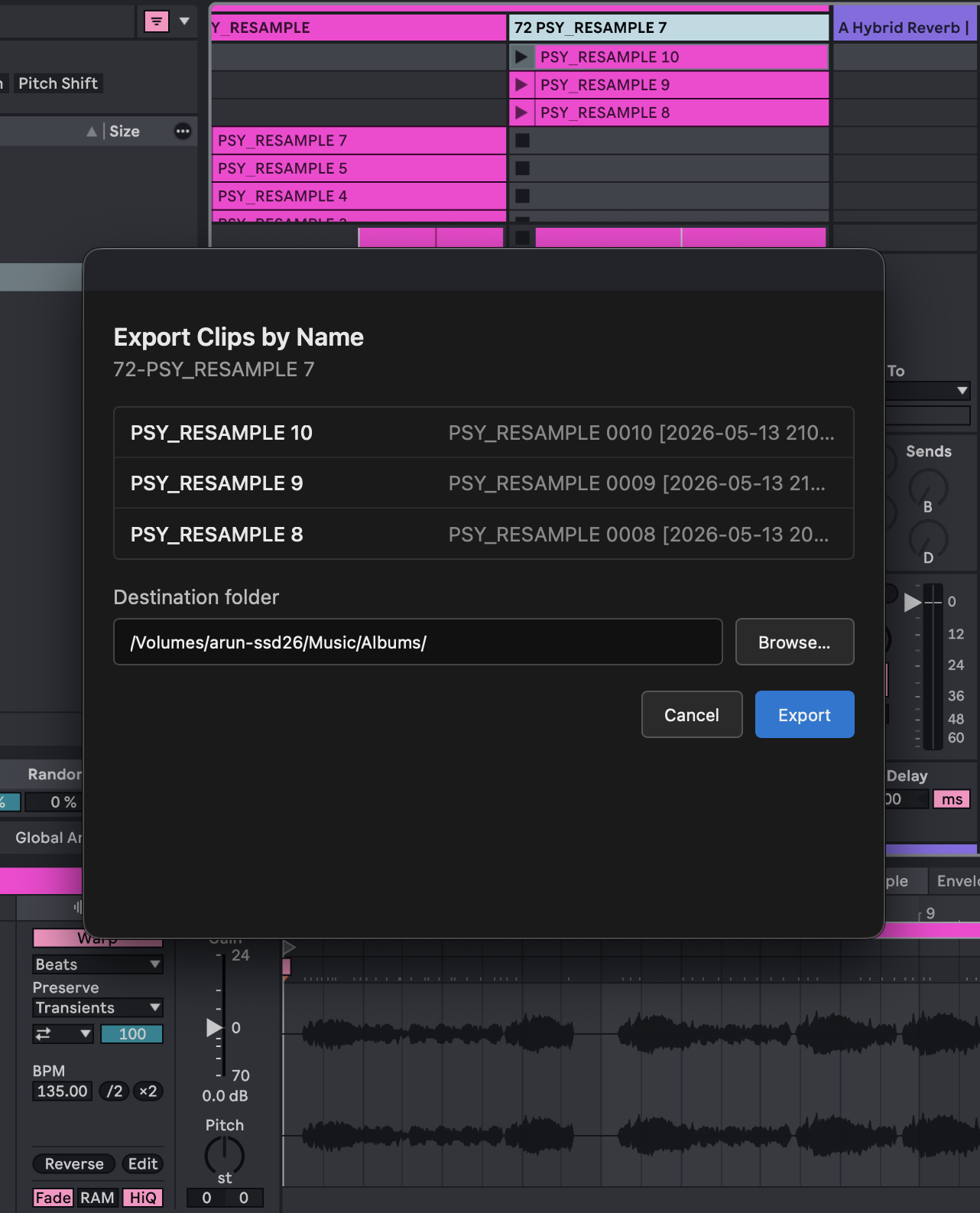
-
Clips are copied to the folder using their clip names. Duplicate names get a
(1),(2), etc. suffix.
Screenshots
Add PNG screenshots to docs/screenshots/:
| File | What to capture |
|---|---|
context-menu.png | Right-click menu on an audio track showing Export Clips by Name |
export-dialog.png | The export dialog with folder path and clip list |
export-progress.png | The progress dialog while clips are exporting |
Scripts
npm start                  # build + run in Live's Extension Host
npm run build              # production bundle of src/extension.ts
npm run build:dev          # dev bundle (sourcemaps, not minified)
npm run package            # build for production + create a .ablx archive
Get Started
Learn about building extensions: https://ableton.github.io/extensions-sdk/
Rate this extension
One rating per account; you can change it any time.
Comments
No comments yet.