fxi-soundstage
v1.6.0FXI SoundStage — AI music generation, stems, and vocal tools inside Ableton Live (.ablx extension)
 FUELED BY IMAGINATION—No ratings yet
FXI SoundStage for Ableton Live
Your AI music crew, inside the session. SoundStage brings the FXI Studio generation stack directly into Ableton Live — write a brief, roll tape, and drop finished takes, stems, and vocals straight onto your tracks. No exporting, no browser tab juggling. The studio comes to you.
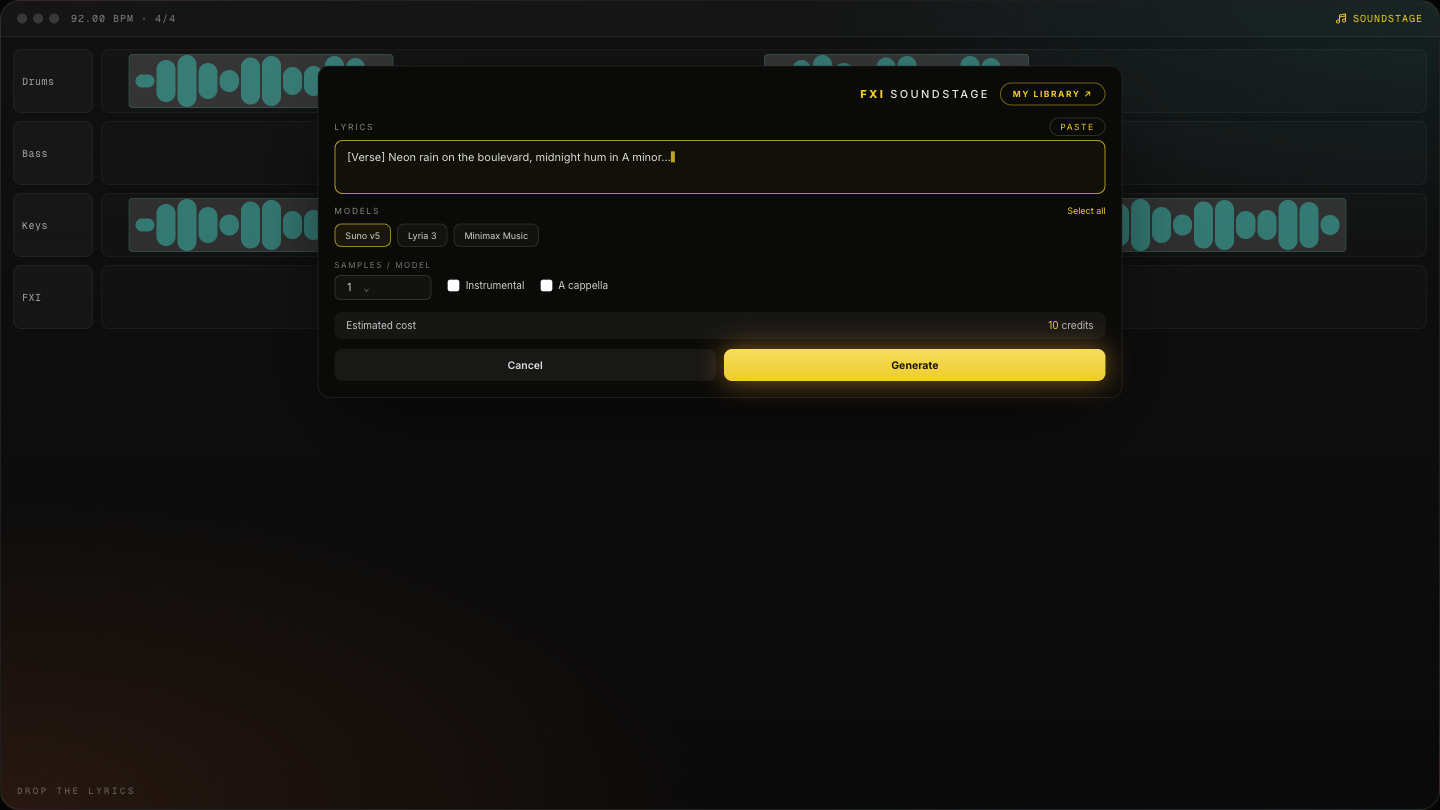
New here? The full walkthrough, from install to your first generated take, lives on FXI Studio: SoundStage for Ableton Live: step-by-step guide →
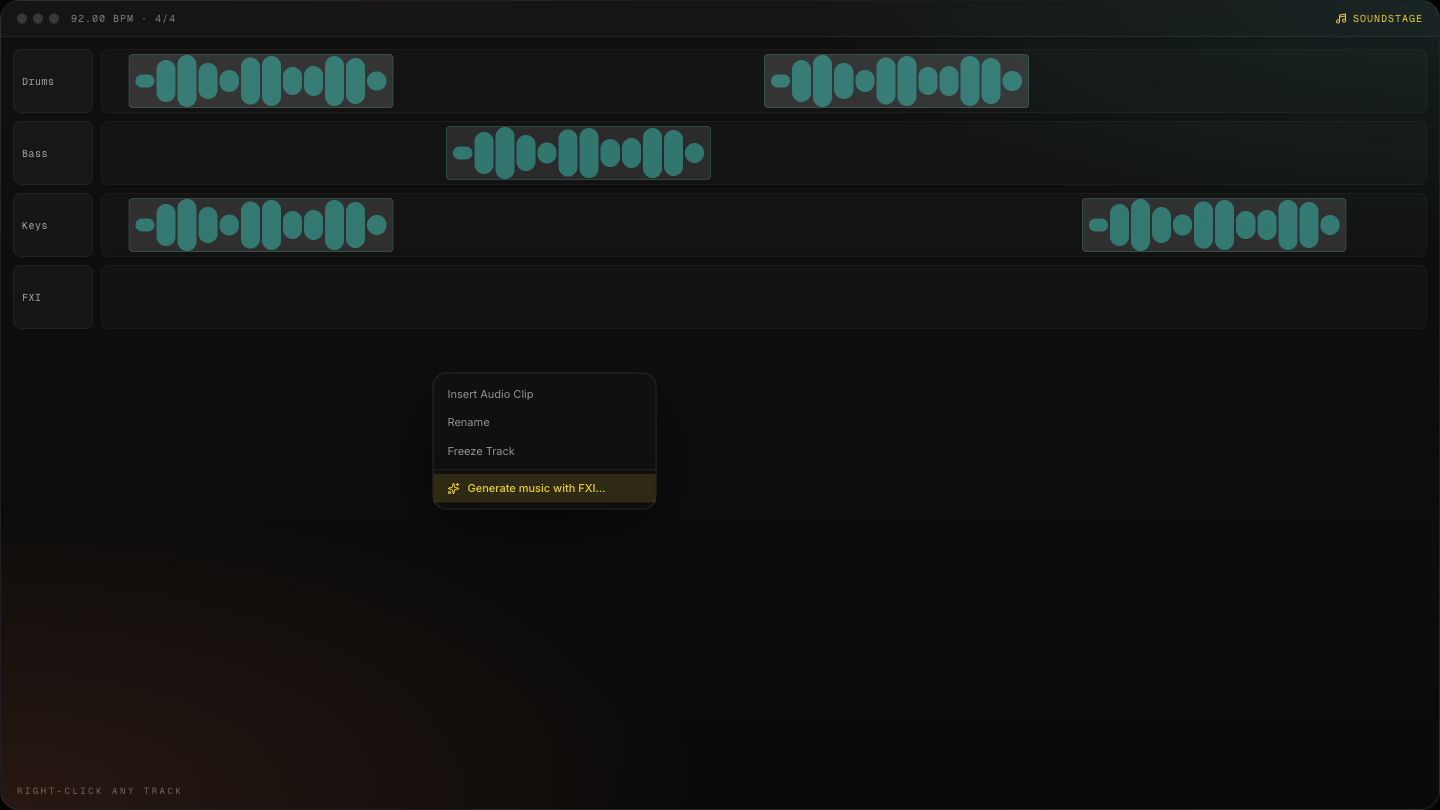
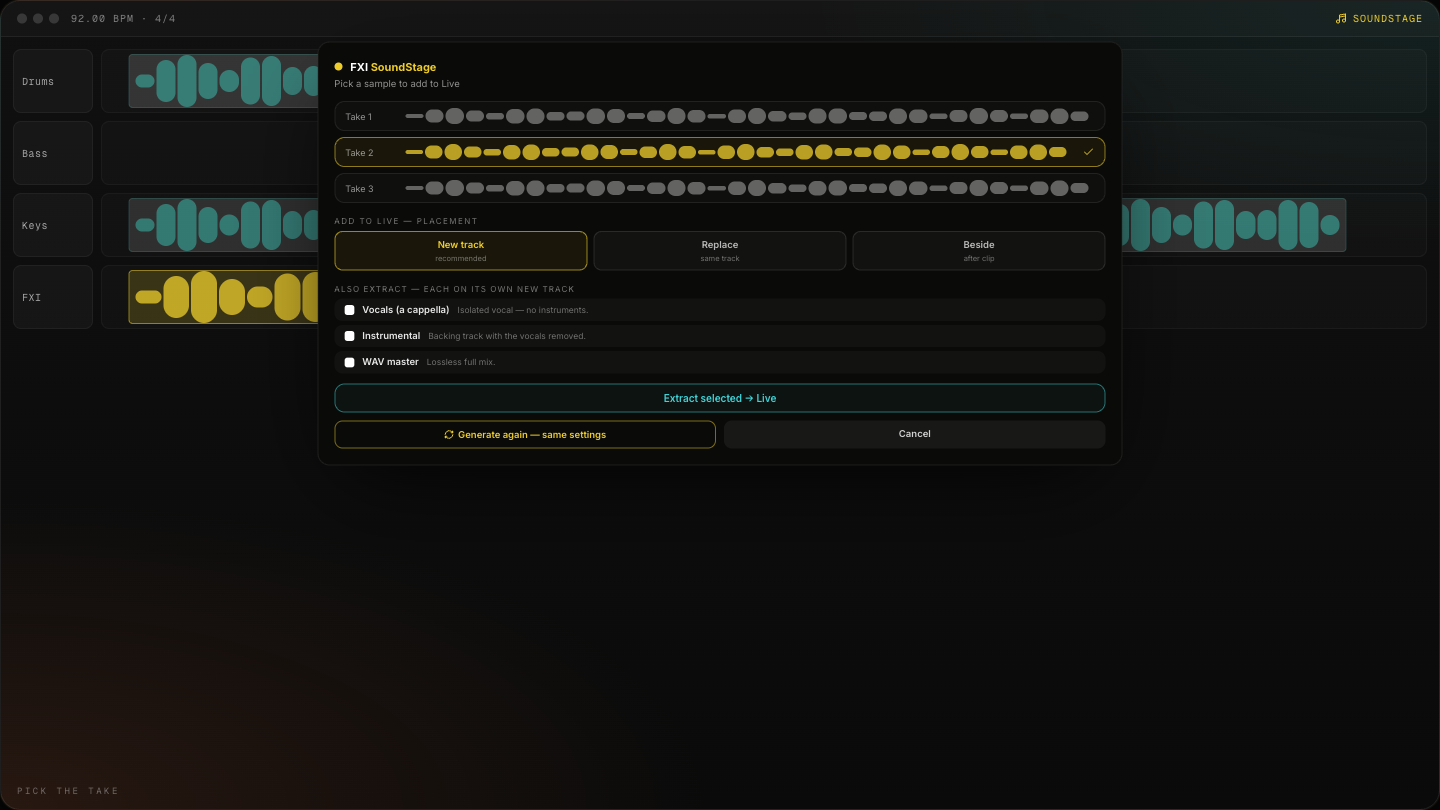
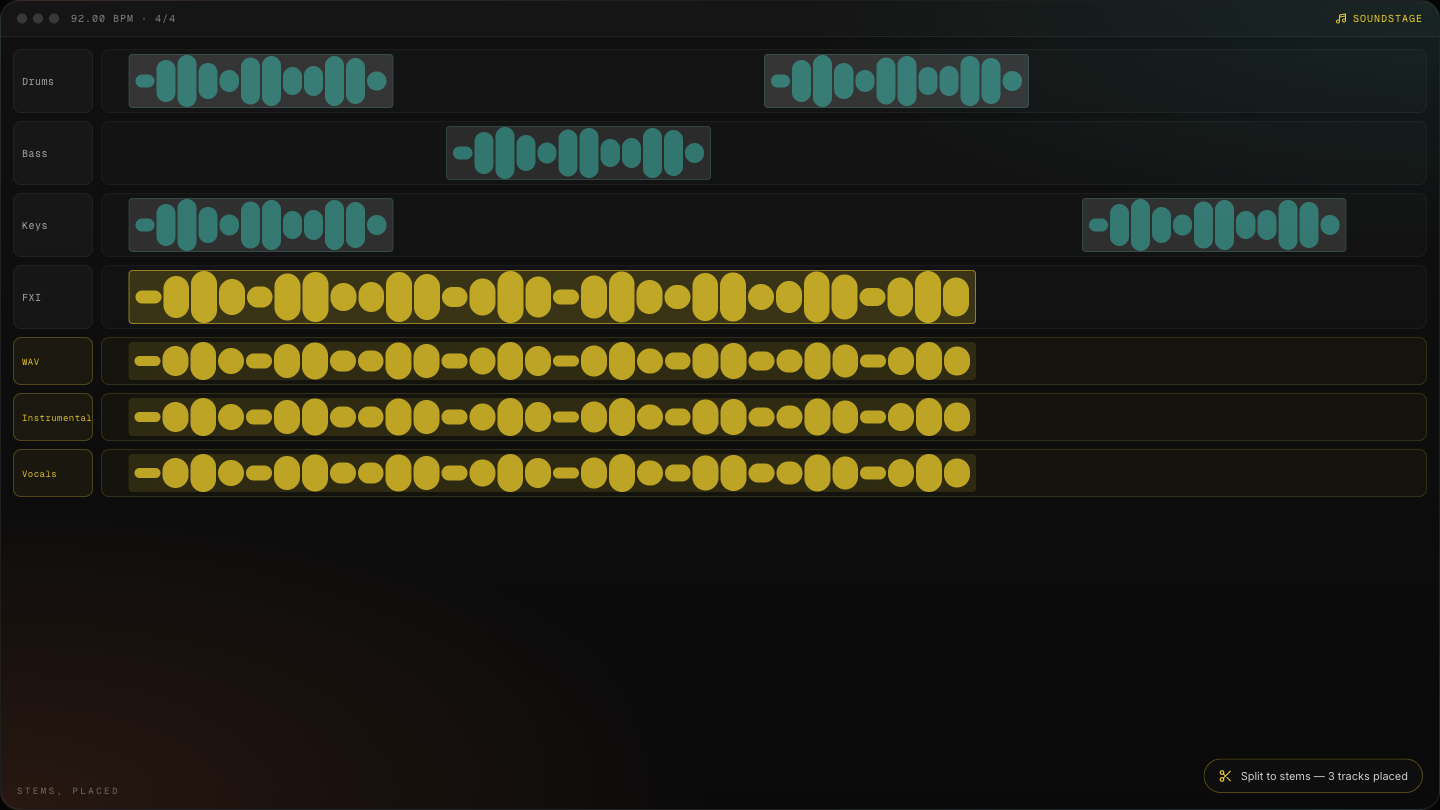
Visuals are simulated previews of the extension flow — Live 12.4.5 beta chrome is still changing, so we render the walkthrough instead of screenshotting a moving target.
What it does
SoundStage is a native Ableton Live extension (.ablx) that connects your Live set to FXI Studio. Right-click a track, describe the cue, and the crew gets to work.
Features
- Generate music on any track or clip slot — right-click an audio track, clip, or clip slot → Generate music with FXI…. Lyrics, style, title, variants, instrumental toggle. Generation reads your project tempo so takes land on the grid.
- Melody-steered generation — capture a MIDI melody from your session and let it steer melody-capable models.
- Take picker + "Generate again" — audition fresh takes, keep the one that works, or roll again with the same settings.
- Library browse — pull anything you've already generated in FXI Studio straight into the arrangement or a clip slot.
- Stem extraction — split any take or library item into stems, each placed on its own labelled Live track.
- Isolate Vocals / Isolate Instrumental — one-click separation on any audio clip.
- Enhance vocals — vocal enhancement flows, including the Vocal-Max rack treatment.
- Match mix — analyze a reference and match your track's mix profile against it.
Requirements
- Ableton Live 12.4.5 public beta (Live 12 Suite license). Extensions are beta-only for now — they do not work in earlier or stable Live builds.
- Not on the beta yet? Join the Ableton Beta Program and install Live Beta 12.4.5.
- An FXI Studio account — sign up at fxi.studio
- Generation uses FXI Studio credits, same as the web app
Install
- Download the latest
fxi-soundstage-x.y.z.ablxfrom the Releases page. - In Live Beta: Settings → Extensions, then drag the
.ablxfile into the Extensions panel (or click Install Extension and pick the file). - Restart Live. SoundStage appears in the Extensions sidebar.
- Right-click any audio track → you should see Generate music with FXI….
Updating: install the new .ablx over the old one the same way, then fully quit and relaunch Live (a rescan is not enough).
Signing in
First use opens your browser to fxi.studio to sign in. The extension uses a standard PKCE loopback flow:
- Right-click → any FXI action → Sign in opens
fxi.studio/auth/extensionin your browser. - Approve the connection — the browser hands a one-time code back to the extension on
127.0.0.1(local only, never leaves your machine). - Your session is stored in the OS keychain — not in files, not in the Live set.
Sign out anytime from the extension; tokens are revocable from your FXI Studio account.
Privacy & what ships in the client
The extension contains no secrets. It talks only to the FXI Studio public gateway with your own session token. The client source is published here so you can audit exactly what runs inside your DAW.
Building from source
npm install
npm run package   # → fxi-soundstage-<version>.ablx
The Ableton Extensions SDK beta tarballs are vendored in vendor/ so the build works out of the box.
Support & issues
- Bugs and feature requests: GitHub Issues
- Find us and other community extensions in the Ableton Discord
#extensions-gallery - Step-by-step guide: SoundStage for Ableton Live on FXI Studio
- Product docs: SoundStage documentation
- Account and billing: fxi.studio
License
The extension client is released under the MIT License. Use of the FXI Studio service (generation, library, stems) is governed by the FXI Studio Terms of Service.
Built by Fueled By Imagination. Lights, levels, action.
Rate this extension
One rating per account; you can change it any time.
Comments
No comments yet.