SceneSend
v0.1.0Ableton Live Extension — right-click a Scene row to copy all clips into Arrangement at a locator.
 Joe Murphy
 README · rendered from GitHubView source
Ableton SceneSend
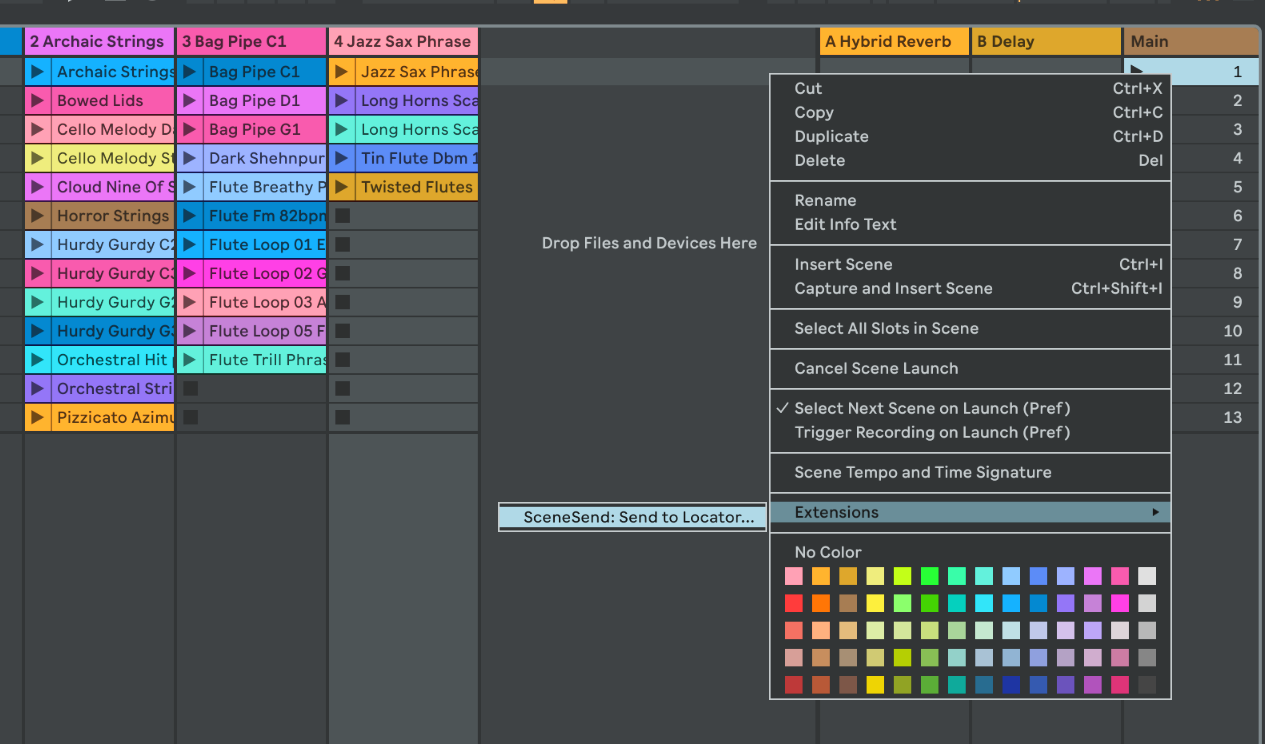
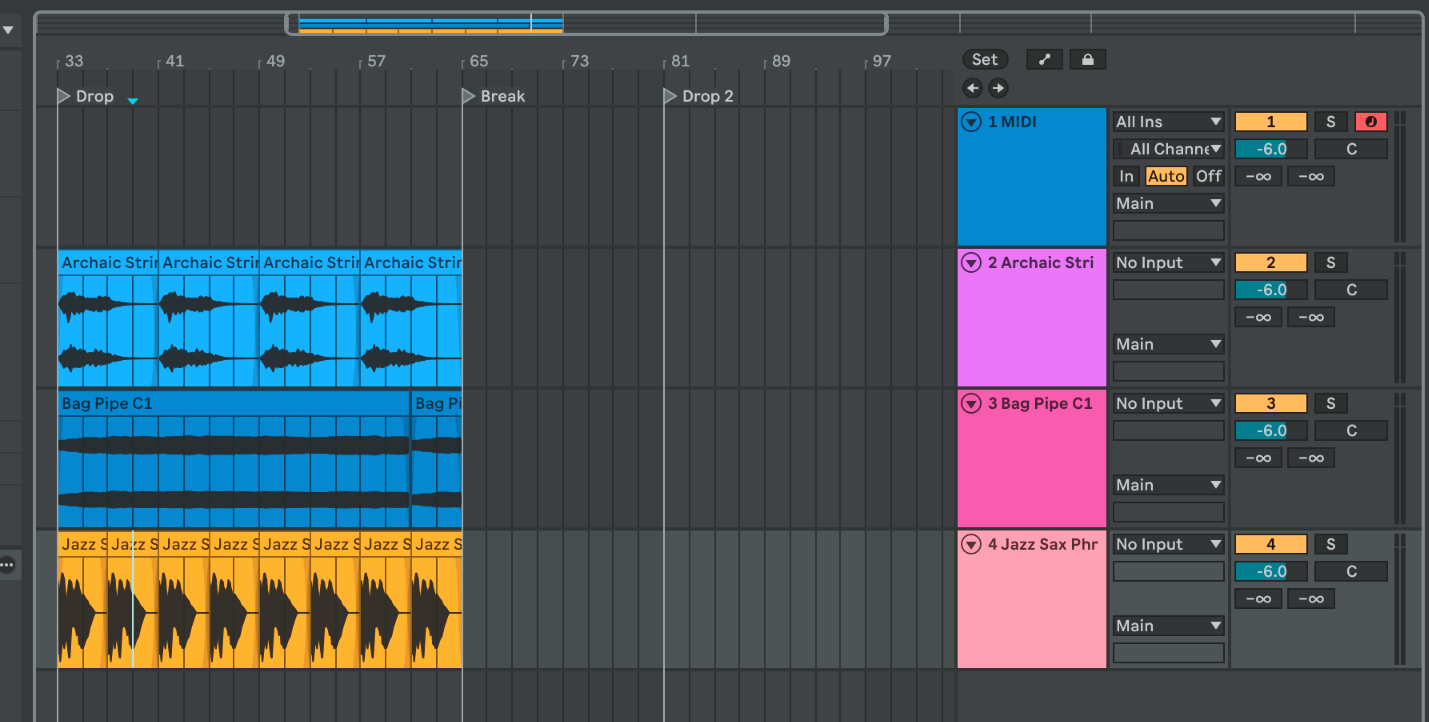
Ableton Live 12 Extension — right-click any Scene row and copy every clip in that row into the Arrangement at a chosen locator. Session clips stay put.
Features
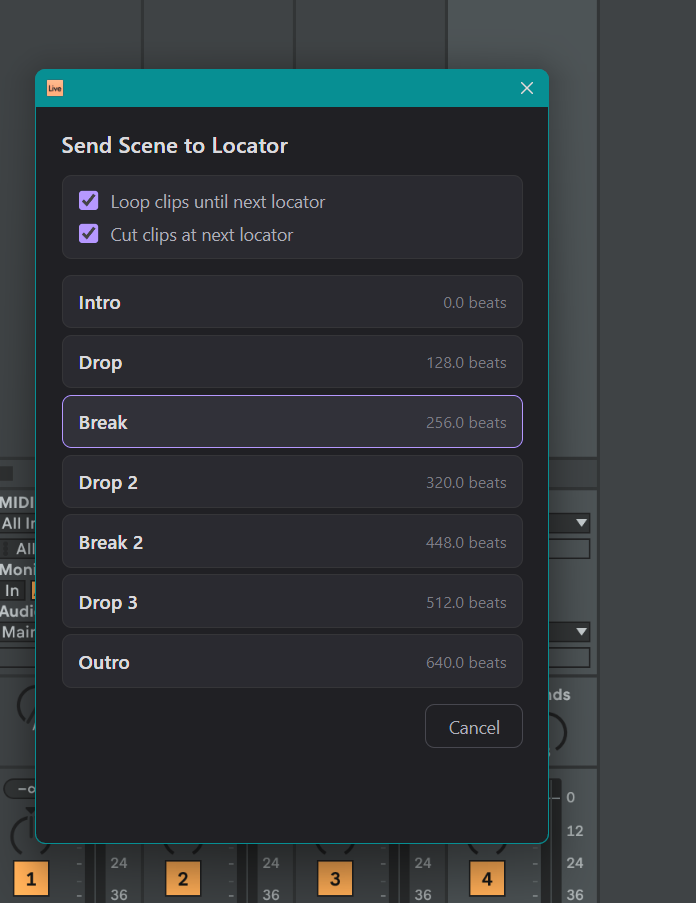
- Right-click a Scene → pick a named locator → all clips in that row land in Arrangement
- Works with both MIDI and audio clips
- Loop clips until next locator — each clip repeats to fill the gap, last copy truncated if needed; repeated copies snap to bar boundaries
- Cut clips at next locator — clips longer than the gap are truncated independently of looping
- No looping past the last locator (clips would run forever)
- Respects the scene's time signature for bar-snapping (3/4, 6/8, etc.)
- Open-ended session clips handled (derives duration from note content)
Install
Drag scene-send.ablx onto Ableton Live 12 Beta.
Developer Mode is only needed when building from source — turn it off for normal use.
Usage
- First: install ableton-cue-templates to quickly drop genre-specific locators into your arrangement.
- Right-click any Scene row → Send to Locator…
- Pick a locator and set options:
- Loop clips until next locator — fills the gap by repeating each clip; copies land on bar boundaries
- Cut clips at next locator — truncates any clip that runs past the next locator
- All clips in that row appear in Arrangement at the chosen locator position
Build from source
npm install
npm run build       # tsc + esbuild
npm run package     # creates .ablx
Requires the Ableton Extensions SDK v1.0.0-beta.0 (Centercode beta program).
License
MIT
Rate this extension
One rating per account; you can change it any time.
No ratings yet — be the first
Comments
No comments yet.