Session to Arrangement Bridge
v0.0.8Transfers all clips from Session View into Arrangement View, preserving clip properties, timing, and structure.
 Federico P.
README · rendered from GitHubView source
Session to Arrangement Bridge
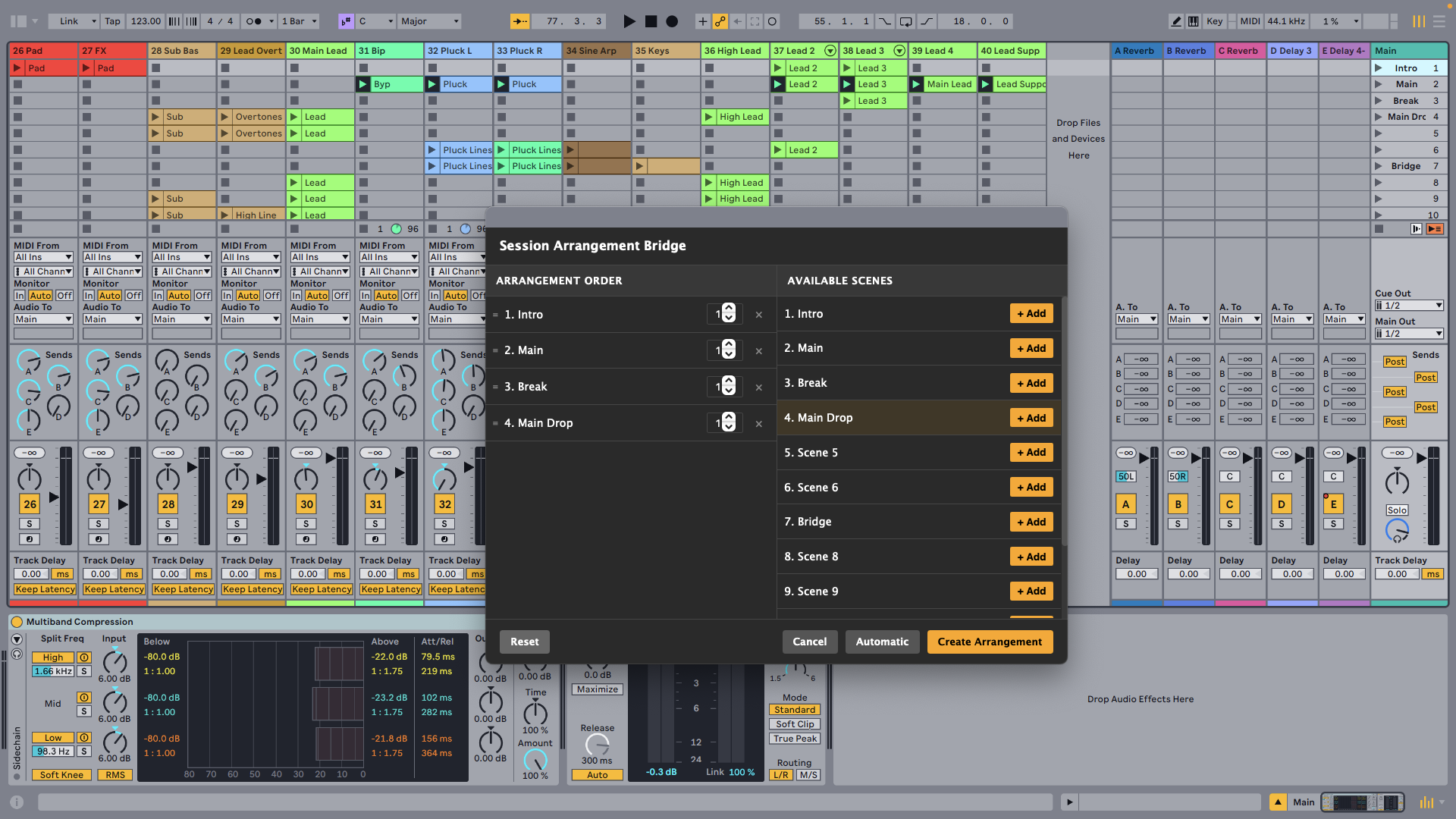
Transfers all clips from Session View into Arrangement View, preserving clip properties, timing, and structure.
⚠️ Due to current limitations in the SDK, audio clips are not simply moved but are recreated from scratch, which is why they may become out of sync with the project. ⚠️
Features
- Two transfer modes — Automatic (all scenes in order) or custom (drag to reorder, set repeat counts)
- Full fidelity — Clip names, colors, loop settings, warp markers, and MIDI notes are all preserved
- Scene multiplier — Set each scene to repeat 1–99 times in the arrangement
- Audio and MIDI — Works with both track types
How to use
Automatic mode
- Right-click any Scene and choose Build Arrangement.
- Click Automatic — all scenes transfer to the arrangement in their current order.
Custom mode
- Right-click any Scene and choose Build Arrangement.
- Drag scenes from the Available Scenes panel (right) into the Arrangement Order panel (left).
- Reorder scenes by dragging and set the multiplier (×) to repeat a scene multiple times.
- Click Create Arrangement.
Rate this extension
One rating per account; you can change it any time.
No ratings yet — be the first
Comments
No comments yet.